

Starting a website for your business may seem overwhelming at first, especially if you have no experience with web design or coding. Fortunately, creating a professional website is now easier and more affordable than ever thanks to WordPress.
In this beginner-friendly guide, I’ll explain everything you need to know about starting a WordPress website in South Africa, including domain registration, website hosting, themes, plugins, and online stores.
Why Choose WordPress for Your Website?
There are many website builders and content management systems available today, but WordPress remains the most popular platform for website creation worldwide.
Here are some of the main reasons why businesses choose WordPress:
- WordPress is free and open-source software.
- You can create almost any type of website without coding.
- Thousands of themes and plugins are available.
- It is beginner-friendly and easy to learn.
- There is a large online community and support network.
- You fully own your website and content.
- You can test your website locally before launching it online.
Whether you want to build a business website, blog, portfolio, or online store, WordPress provides a flexible and cost-effective solution.
What Do You Need to Start a Website?
Although WordPress itself is free, there are two essential things you need before launching your website:
Let’s look at each one in more detail.
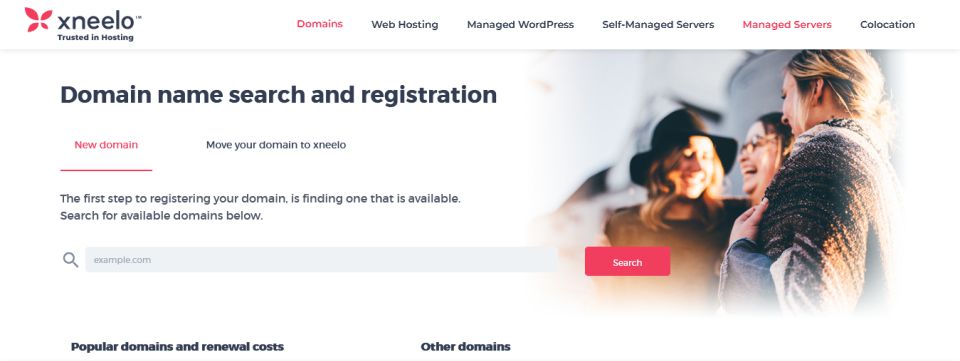
Registering a Domain Name
Your domain name is your website’s address on the internet. Visitors type this address into their browser to access your website.
For example, a domain name could look like this:
- yourbusiness.co.za
- yourbrand.com
Choosing the right domain name is important because it represents your brand online. Ideally, your domain should be:
- Easy to remember
- Simple to spell
- Relevant to your business
- Short and professional
Many South African companies offer domain registration services, including:
- Xneelo
- Domains.co.za
- HostAfrica
- Absolute Hosting
Read more on How to Register a Domain Name and What You Need to Know.
Website Hosting
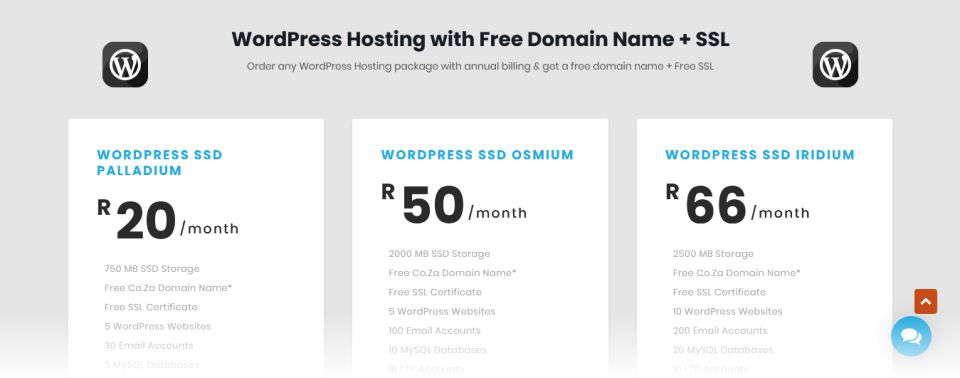
Website hosting is the service that stores your website files and makes your website accessible online.
Think of your hosting account as the home for your website, while your domain name is the address people use to find it.
For beginners, WordPress hosting is usually the best option because:
- WordPress often comes preinstalled
- Servers are optimised for WordPress performance
- Security settings are better configured
- Website setup is easier and faster
When choosing a hosting provider in South Africa, consider factors such as:
- Pricing
- Customer support
- Website speed
- Reliability
- Security
- Backup services
Read more on The Different Types of Website Hosting.
Getting Started with WordPress
Once you have registered your domain name and purchased hosting, you can begin building your website.
Most new WordPress websites start with a default theme already installed. A theme controls the appearance and layout of your website.
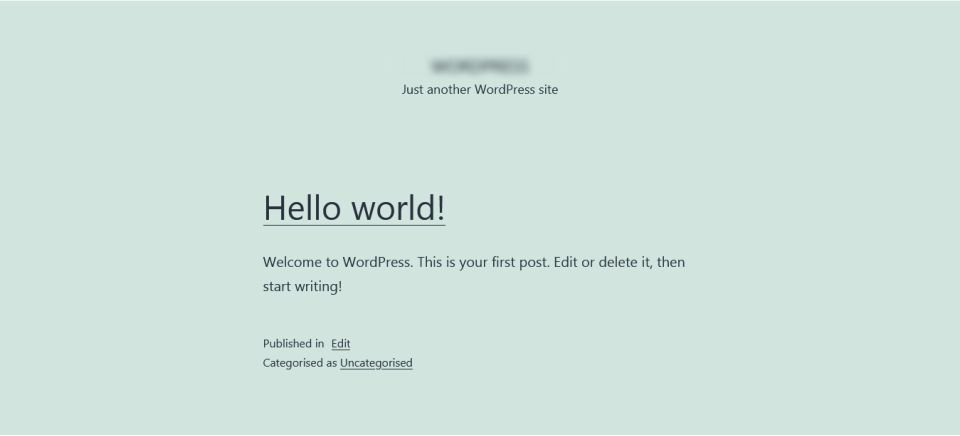
One of the first steps in creating your website is choosing a theme that matches your business and brand identity.
What it s a WordPress Theme?
A WordPress theme is a collection of files that controls the design, layout, colours, typography, and overall appearance of your website.
Themes allow you to customise your website without needing to write code.
The official WordPress Theme Directory contains thousands of free themes for different industries and business types.
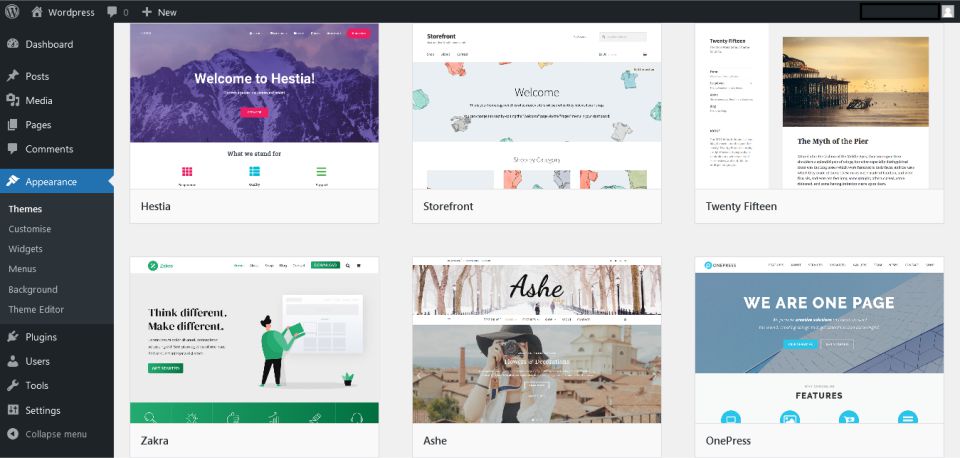
When selecting a theme, look for one that is:
- Mobile-friendly
- Fast-loading
- Easy to customise
- Compatible with popular plugins
- Regularly updated
Premium themes are also available if you need additional features, support, or advanced customisation options.
What is a WordPress Plugin?
A WordPress plugin adds extra functionality to your website.
Plugins make it easy to extend your website features without technical knowledge or programming experience.
Common plugin categories include:
- Website security
- Contact forms
- Website backups
- SEO optimisation
- Social media integration
- Page builders
- Performance optimisation
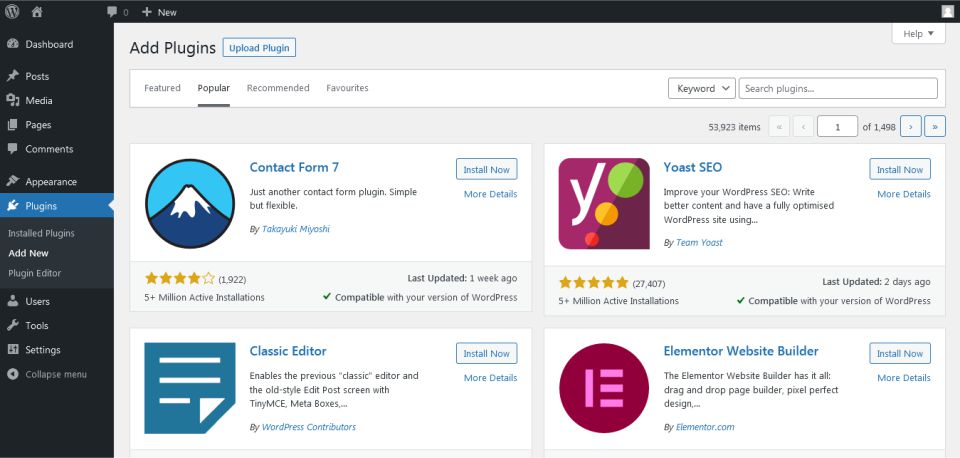
Both free and premium plugins are available, and most beginners can get started using free plugins alone.
You can search for plugins from your WordPress dashboard.
Creating an Online Store with WooCommerce
If you want to sell products or services online, WordPress makes it easy with WooCommerce.
WooCommerce is a free e-commerce plugin for WordPress that allows you to:
- Sell physical products
- Sell digital downloads
- Accept online payments
- Manage inventory
- Set shipping options
- Create product pages
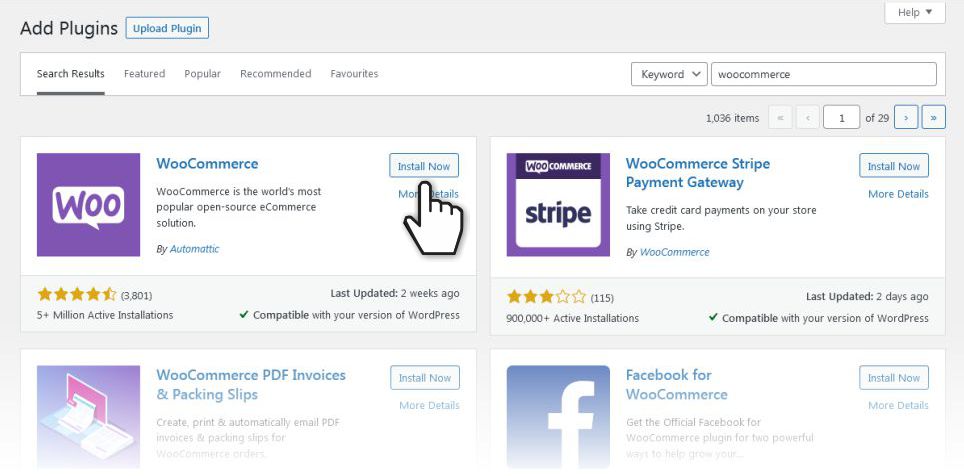
To install WooCommerce:
- Activate the plugin
- Log into your WordPress dashboard
- Go to Plugins
- Search for WooCommerce
- Click “Install Now”
Once installed, WooCommerce guides you through setting up your online store.
For more information on getting started started with WooCommerce, please see my article How to Build an E-Commerce Website with WordPress.
Essential Website Pages You Need
Before launching your website, make sure you create the following important pages:
Home Page
Your main introduction to visitors and potential customers.
About Us Page
Tell people who you are, what you do, and why your business exists.
Products or Services Page
Clearly explain your offerings and how customers can benefit from them.
Contact Page
Include your contact details, contact form, and business location if applicable.
You should also focus on writing clear, helpful, and SEO-friendly website content to improve your visibility in search engines.
Read more on how to write website copy in our article What is Website Copy? And How to Write it.
Need Help with WordPress?
Learning how to start a WordPress website in South Africa is much easier today than it was a few years ago. With affordable hosting, beginner-friendly tools, and thousands of customisation options, almost anyone can build a professional website without coding knowledge.
If you are willing to invest a little time into learning the basics, creating your own website can be both rewarding and cost-effective.
However, if you would prefer professional assistance, Tamay Creative can help you with everything from domain registration to designing and building your complete WordPress website.
Please feel free to contact me or visit my home and services pages for more about me and what I do.

Cimeron Collins
Cimeron is an artist and designer based in Edenvale, South Africa, with over 30 years of experience in the printing and publishing industries.
He’s also an avid WordPress enthusiast who strives to stay up to date with the latest trends in web design and development, constantly exploring new technologies and refining his skills.
Leave a Reply