

Social media platforms and websites require specific image sizes for uploads. These sizes relate to the container or space allocated for the image on a webpage or app. Understanding pixels and image dimensions helps you create sharp, professional images for websites, blogs, and social media platforms.
You will see image dimensions specified like this:-
- Facebook profile picture: 180 × 180
- Facebook cover photo: 820 × 312
- Twitter header size: 1500 × 500
- Twitter post image: 1024 × 512
- Linkedin background photo: 1584 × 512
These numbers define the dimensions of an image in pixels. For a complete list of current social media image sizes, visit Sprout Social.
What Do Image Dimensions Mean?
In graphic design and web design, digital image dimensions use pixels as the unit of measurement. Image dimensions follow the format:
width × height
For example, a Facebook cover photo with dimensions of 820 × 312 means:
- The image contains 312 pixels down the height
- The image contains 820 pixels across the width
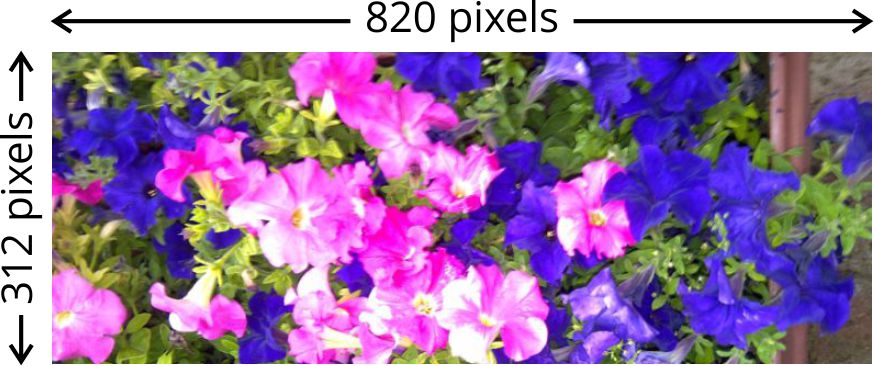
Using the correct image dimensions helps your images display properly on websites and social media platforms.
What is a Pixel?
A pixel, abbreviated as px, stands for “picture element.” Pixels are the tiny blocks of colour that form every digital image.
If you zoom into a digital image far enough, you will see the individual pixels that create the image. Millions of pixels work together to display photographs, graphics, and illustrations on screens.

Does a Pixel Have a Physical Size?
Pixels do not have a fixed physical size like centimetres or millimetres. Instead, screens display pixels at different sizes depending on the screen resolution.
For example:
- A screen resolution of 1920 × 1080 displays 1920 pixels across and 1080 pixels down
- Older screens with a resolution of 640 × 480 display fewer pixels, so each pixel appears larger
Modern screens pack more pixels into the same space, which creates sharper and clearer images.
How Are Pixels Created?
Digital images create pixels in several ways:
- Digital camera sensors capture photographs and convert them into pixels
- Design software such as Adobe Photoshop creates images using specified dimensions and resolution
- Vector graphics convert into raster images by defining image size and pixels per inch
Every digital image uses pixels to display colour, detail, and clarity.
What is Image Resolution?
Image resolution refers to the amount of detail in an image. Resolution uses pixels per inch (PPI) as the measurement.
Higher resolution images contain more detail and usually produce better print quality. Printing often uses the term DPI (dots per inch) to describe print output quality.
Resolution matters most when printing images. For websites, social media, and digital screens, pixel dimensions matter more than DPI settings.
Read more on preparing artwork for print.
Why Are Image Pixel Dimensions Important?
Correct image dimensions help prevent blurry or pixelated images online. Pixelation occurs when an image does not contain enough pixels for the display area.
Low-quality images may appear:
- Blurry
- Grainy
- Stretched
- Distorted
Using properly sized images improves website appearance, social media quality, and user experience. Optimised images also help webpages load faster and perform better in search engines.
Need Help With Website or Social Media Images?
Professional image sizing and optimisation can improve the quality of your website and social media content. If you need help preparing images for your website, blog, or social media pages, feel free to contact me.
Visit my home and services pages to learn more me what I do.

Cimeron Collins
Cimeron is an artist and designer based in Edenvale, South Africa, with over 30 years of experience in the printing and publishing industries.
He’s also an avid WordPress enthusiast who strives to stay up to date with the latest trends in web design and development, constantly exploring new technologies and refining his skills.

Leave a Reply